
Payments
Monthly fees without the notebook
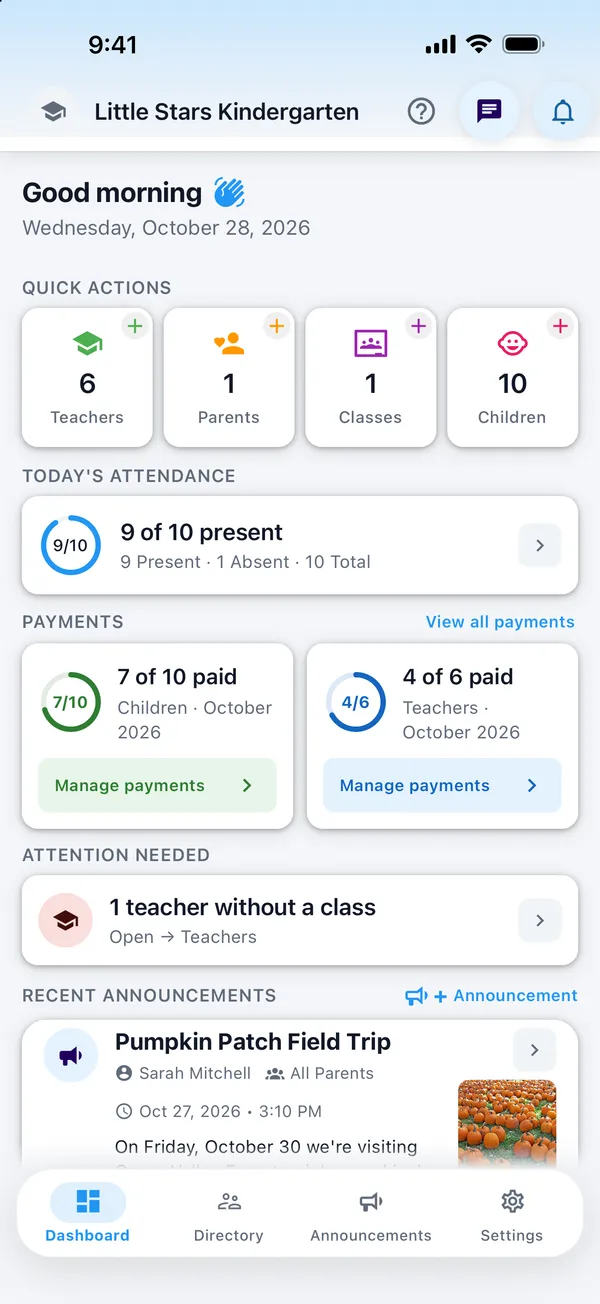
Mark each child's monthly fee as paid, unpaid or pending, from your phone or the web. Parents see which months are paid, and you track teacher salaries in the same place.
Run a kindergarten? Start free for 14 days
- Paid, unpaid or pending
- Parents see their months
- Teacher salaries too
Why it helps
Know who has paid, at a glance
Every child, every month
Mark each month as paid, unpaid or pending, with the amount and a note if you need one.
Parents stay informed
Parents see the year month by month and get a notification when you mark a fee as paid or unpaid.
Teacher salaries
Track each teacher's monthly salary the same way. Teachers get a notification when its status changes.
Compare with last year
See your monthly fee totals next to the same months last year.
How it works
Three steps each month
- 1
Open Payments
Choose the month, on your phone or on the web.
- 2
Mark the status
Mark each child's fee as paid, unpaid or pending, and add the amount or a note.
- 3
Parents are notified
When you mark a month as paid or unpaid, the parent gets a notification and sees it in the app.
Questions
Common questions
Can parents pay in the app?
No. MyKidTrack doesn't process payments. Parents pay the way they do today, and you record it in the app.
What do parents see?
Parents see, month by month, whether their child's fee is marked as paid.
Can teachers see their salary in the app?
Teachers get a notification when you change the status of their salary. The salary list itself is visible only to the admin.
Does this cost extra?
No. Payments are included in every plan, like all other features.
More features
What else MyKidTrack does
- AttendanceOne-tap check-in and check-out, with a notification for parents.Learn more
- Daily reportsMeals, sleep, mood and activities in one report for parents.Learn more
- Parent communicationPrivate chats and announcements instead of crowded group chats.Learn more
- Photos and videosPrivate photos and videos, seen only by the child's own parents.Learn more
Bring MyKidTrack to your kindergarten
Download the app, create your kindergarten and invite your first parents today. Free for 14 days.
Or start on the web